Direct or relayed
Tries a peer-to-peer connection and uses a server relay when network conditions prevent it. Your experience depends on both networks.
 Skylight LAN
Bring computers on different networks into one virtual LAN. Create a room, invite your friends, and spend your time on the game you came to play.
 View full size ↗
Invite friends and manage your room, all in one place.
Tries a peer-to-peer connection and uses a server relay when network conditions prevent it. Your experience depends on both networks.
Set a room password, approve join requests, and limit membership. The host can manage and remove members.
Keep your connection in the system tray after closing the window. Open it again whenever you need your room.
Skylight LAN · 1.1.18
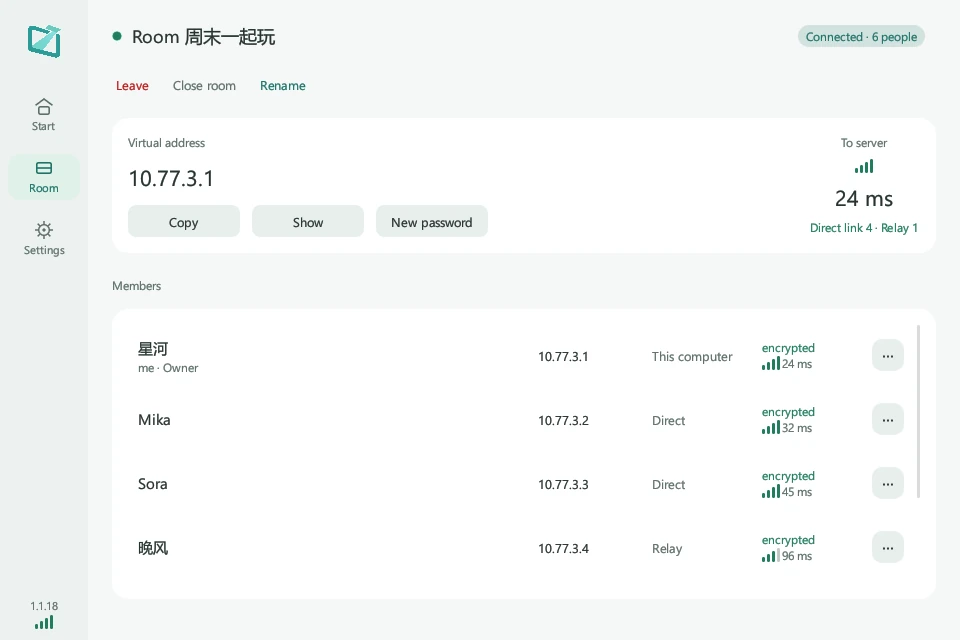
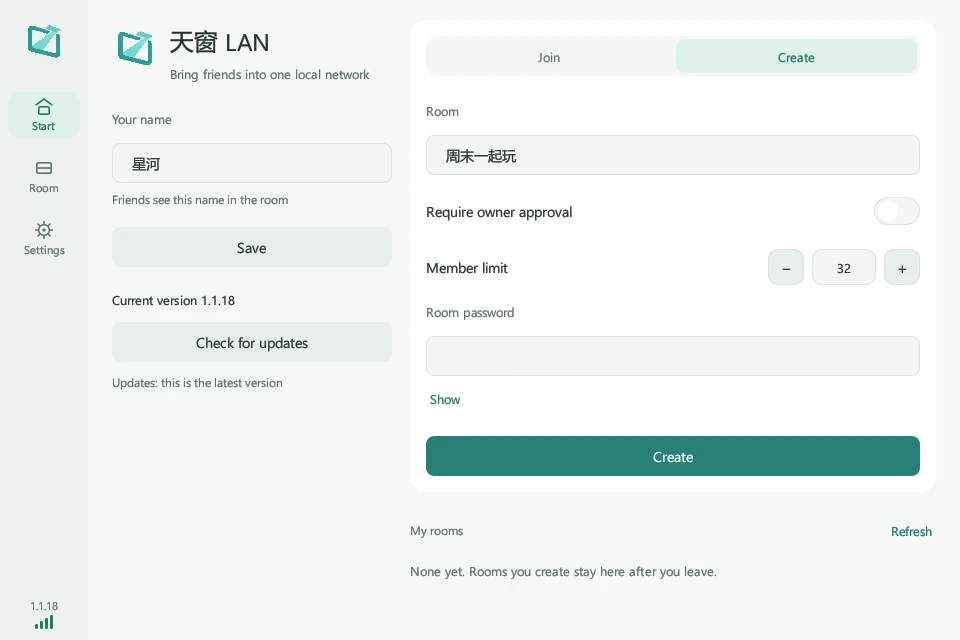
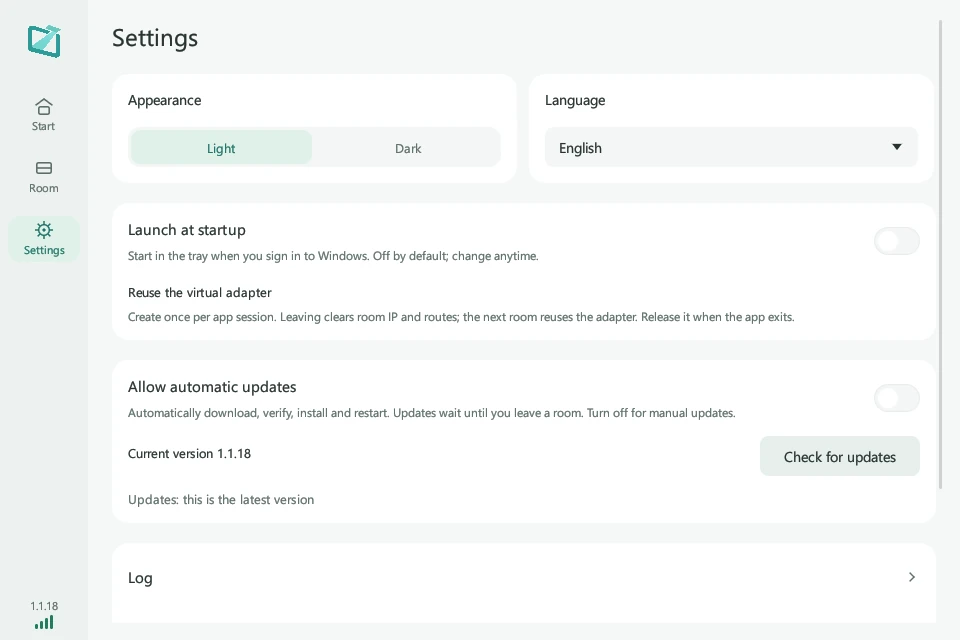
Create a room, see who is connected, and make Skylight work your way.
 View full size ↗
Choose a password, approval settings and member limit.
View full size ↗Find virtual IPs, members, and direct or relay connection status.
 View full size ↗
Choose a theme and language, with optional startup and updates.
Actual Windows client screens. Members, addresses and latency values are examples.
A guided look at the controls you will use, from creating a room to everyday settings.
Install Skylight for Windows, allow the virtual network adapter, and connect to the server your friends use.
The host creates a room and chooses a password and approval settings. Friends join with the same room details.
Enable LAN play in a compatible game. Enter the host’s virtual IP if required. Connection steps depend on the game.
Use the same service address and join the same room as your friends. The primary server coordinates relay nodes; each game still runs on the players’ computers.
Windows x64 installer. Includes the virtual network adapter component required by Skylight.
Download for WindowsVersion verified when this site was built
Optional startup in the system tray when you sign in. Reuses the virtual adapter between rooms, clearing room IPs and routes when you leave.
55e261bfd5bf0da872c9cbe8edb80febd4449097cbc4caea1147406959402261Use Get-FileHash in PowerShell to check your download. Its SHA-256 should match the value shown here.
The client available here is for 64-bit Windows. macOS, Linux, and mobile installers are not currently provided.
Skylight installs and uses a Wintun virtual network adapter. Keep the adapter component supplied with the installer and allow the system permission prompt when running the app.
You can try. Use the same service address and join the same room. Skylight tries a direct connection and supports server relay. Results depend on network conditions, firewalls, and game settings.
Check that everyone is in the same room, LAN play is enabled, game versions are compatible, and the firewall allows the game. Some games need the host’s virtual IP entered manually.
The client reads signed update information. You can also return here for the installer. The website verifies the release signature before switching to a new download address.
Yes. Enable it in Settings to start in the tray when you sign in. It is off by default. If saving fails, check Windows Task Scheduler and your security software’s block history.
The running client reuses it. Leaving clears that room’s IP and routes. After quitting the app or restarting Windows, the first room creates it again.